
Effortless Transfers & Seamless Payments
at Your Fingertips
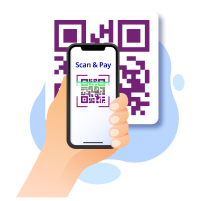
Going cashless with just your mobile phone
Scan to pay at any merchants with HL Bank QR Pay!
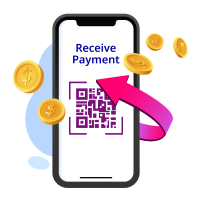
Receive payment instantly with a QR code
Generate your unique QR code in the HLB Connect App and start receiving payments instantly and securely
How to Pay & Receive Payments via QR Pay
To Scan & Pay via QR Pay
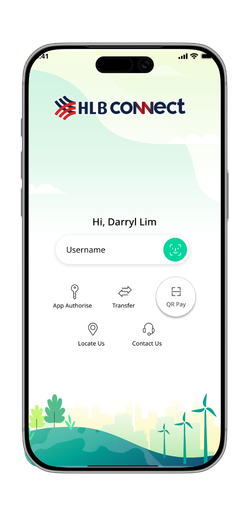
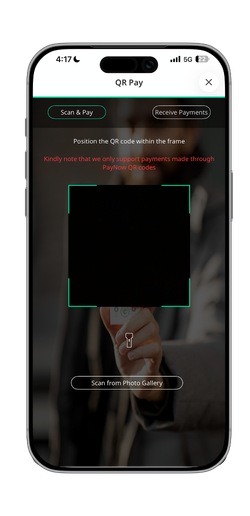
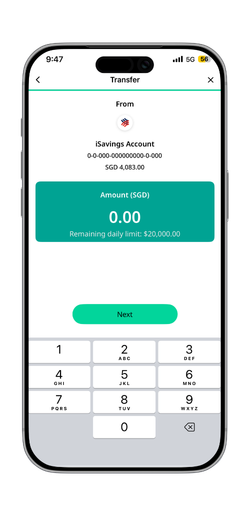
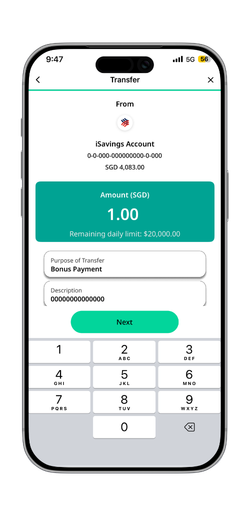
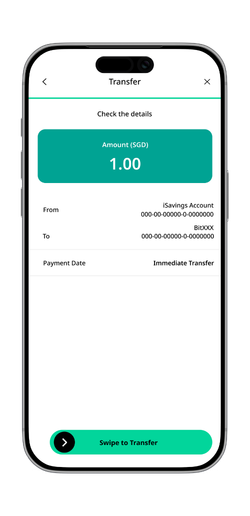
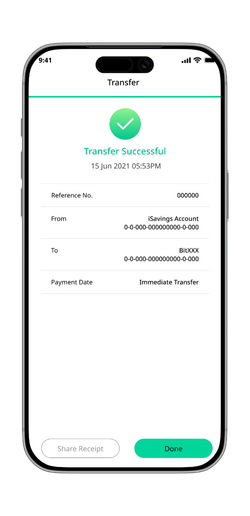
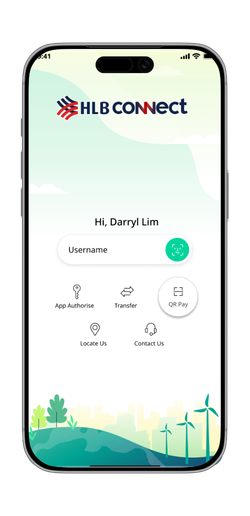
Step 1: Open HLB Connect App and tap QR Pay
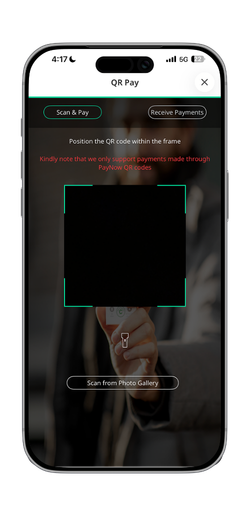
Step 2: Scan the recipient’s or merchant’s QR code and enter payment amount
Step 3: Review payment details and swipe to transfer
One-time Registration to Receive Payments
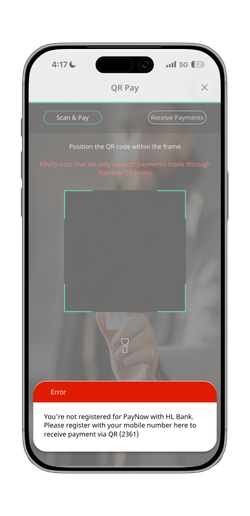
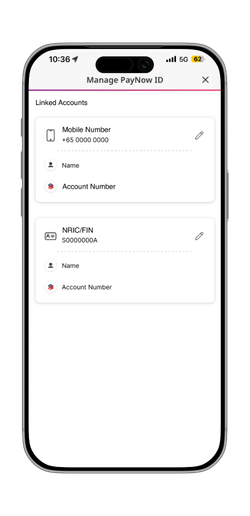
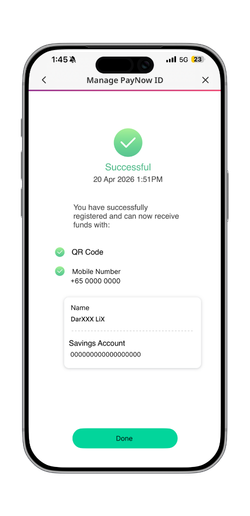
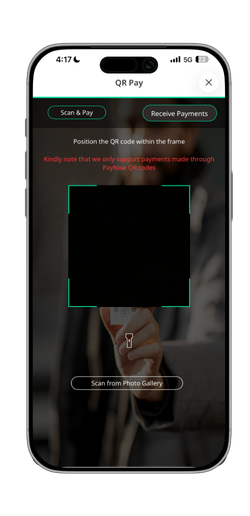
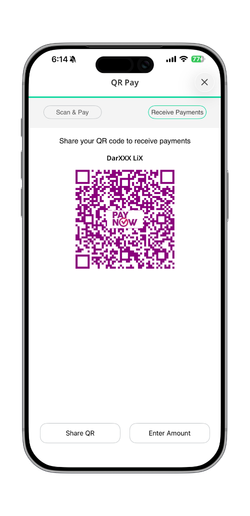
Step 1: Login to HLB Connect Singapore App > More > Manage PayNow ID
Step 2: Select your preferred PayNow Proxy (mobile number) and link it to your HL Bank account
Step 3: Verify your registration with the registration code sent to you
Step 4: To share your PayNow QR code, tap on QR Pay > Receive Payments > Share
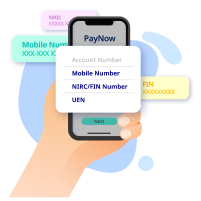
Send money without a bank account number
With PayNow, all you need is the recipient’s Mobile Number/NRIC/UEN/VPA to send money instantly and securely
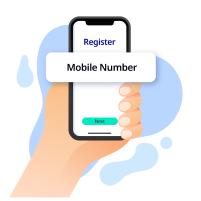
Receive transfers instantly with your mobile number
Register your mobile number through HLB Connect to receive money instantly from anyone
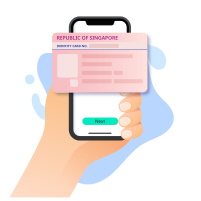
Faster payouts with NRIC/FIN registration
Link your NRIC/FIN to your HL Bank PayNow to receive faster government & insurance payouts
How to Send & Receive Money via PayNow
To Send Money
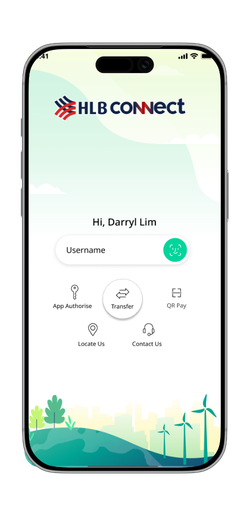
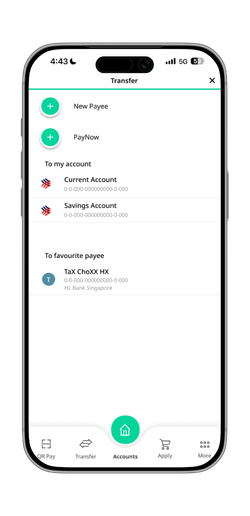
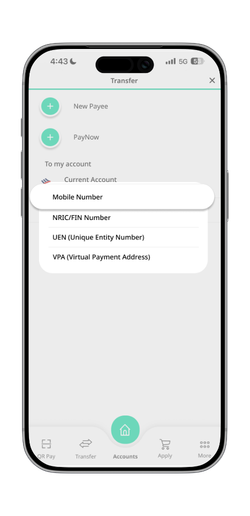
Step 1: Open HLB Connect App and tap Transfer
Step 2: Tap “+” to add payee, then select Mobile Number
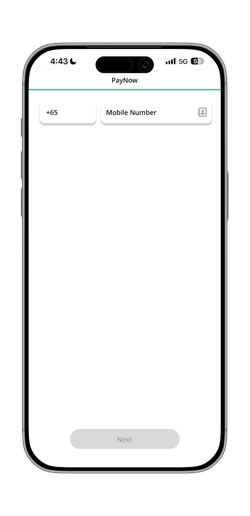
Step 3: Enter recipient’s mobile number and transfer amount
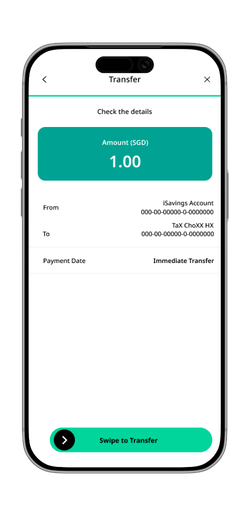
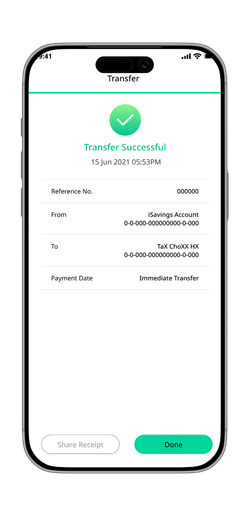
Step 4: Review transfer details and swipe to transfer
One-time Registration to Receive Money
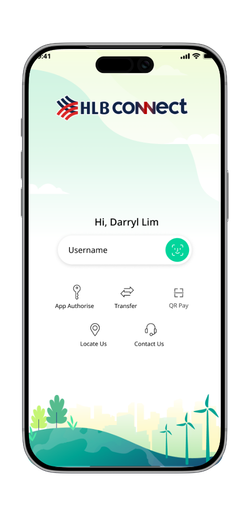
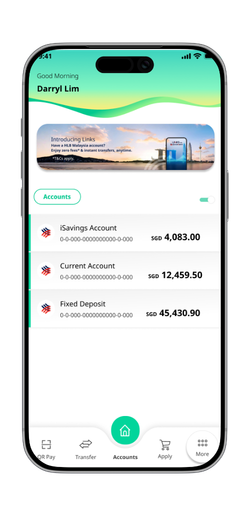
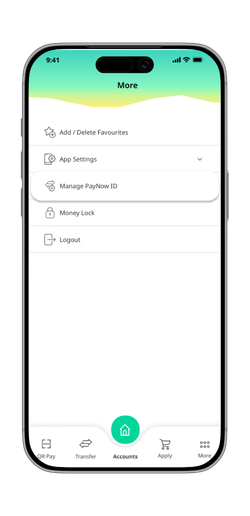
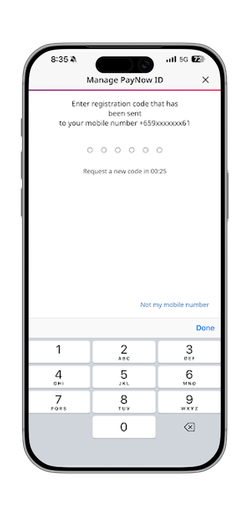
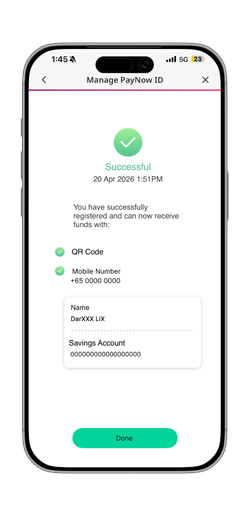
Step 1: Login to HLB Connect App and tap More
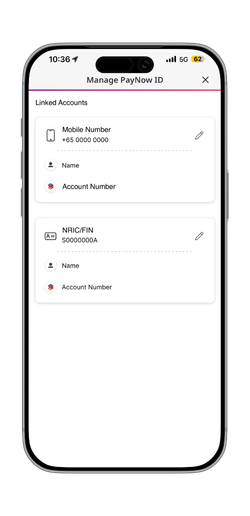
Step 2: Tap on Manage PayNow ID
Step 3: Select your preferred ID and link it to your HL Bank account
Step 4: Once registered, you can receive PayNow transfers instantly using your registered ID
FREQUENTLY ASKED QUESTIONS
PayNow is an electronic fund transfer service that allows you to transfer SGD funds instantly to a payee, using the payee's designated mobile number, NRIC/FIN or UEN number instead of his/her bank account number
A payee can receive funds via PayNow as long as he/she has a Singapore bank account with one of the PayNow participating banks, and has registered his mobile number, UEN, or NRIC/FIN as a PayNow Proxy with the participating bank.
You can register for PayNow via HLB Connect Singapore App and Online Banking
Steps to Register:
- Login using your biometrics or your username and password
- Tap on “More” at the bottom of the screen
- Select “Manage PayNow ID”
- During registration, you will be prompted to select which account (iSavings Account, Savings Account, or Current Account) you wish to link your PayNow Proxy (mobile number and/or NRIC/FIN number)
If you are sending funds via PayNow transfer:
Via QR Code
- Select “QR and Pay” from either the login page or after logging in to the HLB Connect Singapore App
- Scan the QR Code within the frame to scan
- Enter the transaction amount, select the account you wish to pay from, and leave a remark if necessary
- Review the payment details and tap “Confirm” to submit
Via Transfer
- Login to HLB Connect Singapore App
- Under “Transfer”, select “PayNow”
- Select the Proxy type (mobile number, NRIC/FIN, UEN or VPA (Virtual Payment Address))
- Enter the mobile number, NRIC, UEN or VPA number, Transaction amount, Purpose of Transfer Verify details, and Swipe to Transfer
If you are receiving funds via PayNow transfer:
- Inform sender of your designated PayNow Proxy registered using your mobile number
- Inform sender to send funds to your designated Proxy, using the PayNow option on their bank’s internet banking or mobile banking platform
- ANEXT Bank
- ANZ
- BNP Paribas
- BOC
- CIMB
- Citibank
- DBS Bank/POSB
- Deutsche Bank
- GLDB
- GXS
- HL Bank
- HSBC
- ICBC
- JP Morgan
- MariBank
- Maybank
- OCBC
- RHB
- SMBC
- Standard Chartered Bank
- Trust
- UOB
- Grab Financial Group
- Liquid Group
- Nium
- Singtel Dash
- Wise
- Xfers
PayNow is being operated by a third-party service provider appointed by the industry-wide scheme owner for PayNow.
In order to facilitate seamless lookups of PayNow proxies across participating banks, all PayNow related data will be stored in a central database operated by the third-party service provider. Adequate measures have been implemented to ensure the integrity, security and confidentiality of this data.
A PayNow Proxy is a personal identifier that you can link to your bank account (iSavings Account, Savings Account, or Current Account)
You can link the following proxies to your account:
- A mobile number (local) that you have registered with HL Bank
- NRIC/FIN number
Please note that you can only register the NRIC/FIN and mobile number currently maintained in the Bank's records as your PayNow Proxies.
If your existing proxies are registered with another bank, please de-register your proxies (mobile number or NRIC/FIN) from your other Banks before you proceed to register with HL Bank.
Yes, you may link both Proxies (NRIC/FIN and mobile number) to the same bank account.
No. If you have already linked your Proxy to a HL Bank account and wish to register the same Proxy with another bank, you will need to first de-register the Proxy from your HL Bank account (using the “Manage PayNow ID” option), before you can register it with another bank.
From 6 June 2026, all display names (including PayNow nicknames) will be automatically updated to reflect selected letters of your bank registered account name during PayNow transfers.
No action is needed by you and all other aspects of receiving and transferring money via PayNow remain unchanged.
The following example illustrate what the partially masked name will look like from 6 June 2026 onwards.
Note: The names and nicknames used in this table are fictitious and are used solely for the purpose of illustration (Illustration extracted from ABS Media Release 29 April 2026)
| Payees’ Registered Account Name | Current PayNow Nickname | Payees’ Registered Account Name with selected letters displayed, starting 6 June 2026 | |
|---|---|---|---|
|
1 |
Chan Shi Hui Jacqueline |
Jacq |
ChXX ShiX JacquXXXXX |
|
2 |
Muhammad Hakeem bin Osman |
Hakeem |
MuhamXXX HaXXX biX OsmXX |
|
3 |
Muthu Ramesh Murugan s/o P.Loganathan |
hiMRM |
MutXX RamXXX MuruXXX s/X P.LogXXXXXXX |
Yes, you may change the bank account linked to your PayNow proxies using the “Edit” option on HLB Connect or HLB Connect Singapore App.
The maximum limit for PayNow transfers is the same as of your daily local transfer limit. You can manage this limit online via HLB Connect.
You can double-check the recipient's number to ensure it is entered correctly.
With the Masked Account Name change, you will be able to see your payee’s verified, registered account name (e.g., ChXX ShX HuX JacquXXXXX) on the confirmation screen before making a transfer or payment.
This serves as an added layer of protection, ensuring your money reaches the intended recipient.
No, you can use the PayNow services without any charges.
Merchants are prohibited from imposing any surcharge, special charge, finance charge or similar charges (whether through an increase in price or otherwise) on your payments made via PayNow (“Surcharge Prohibition”).